
Section 2
Link your Facebook & Instagram accounts
Connect your Facebook Page and Instagram account to your Business Portfolio in Business Settings. These are the core brand assets your ads will run from.
business.facebook.com/settings
Part A · Facebook Page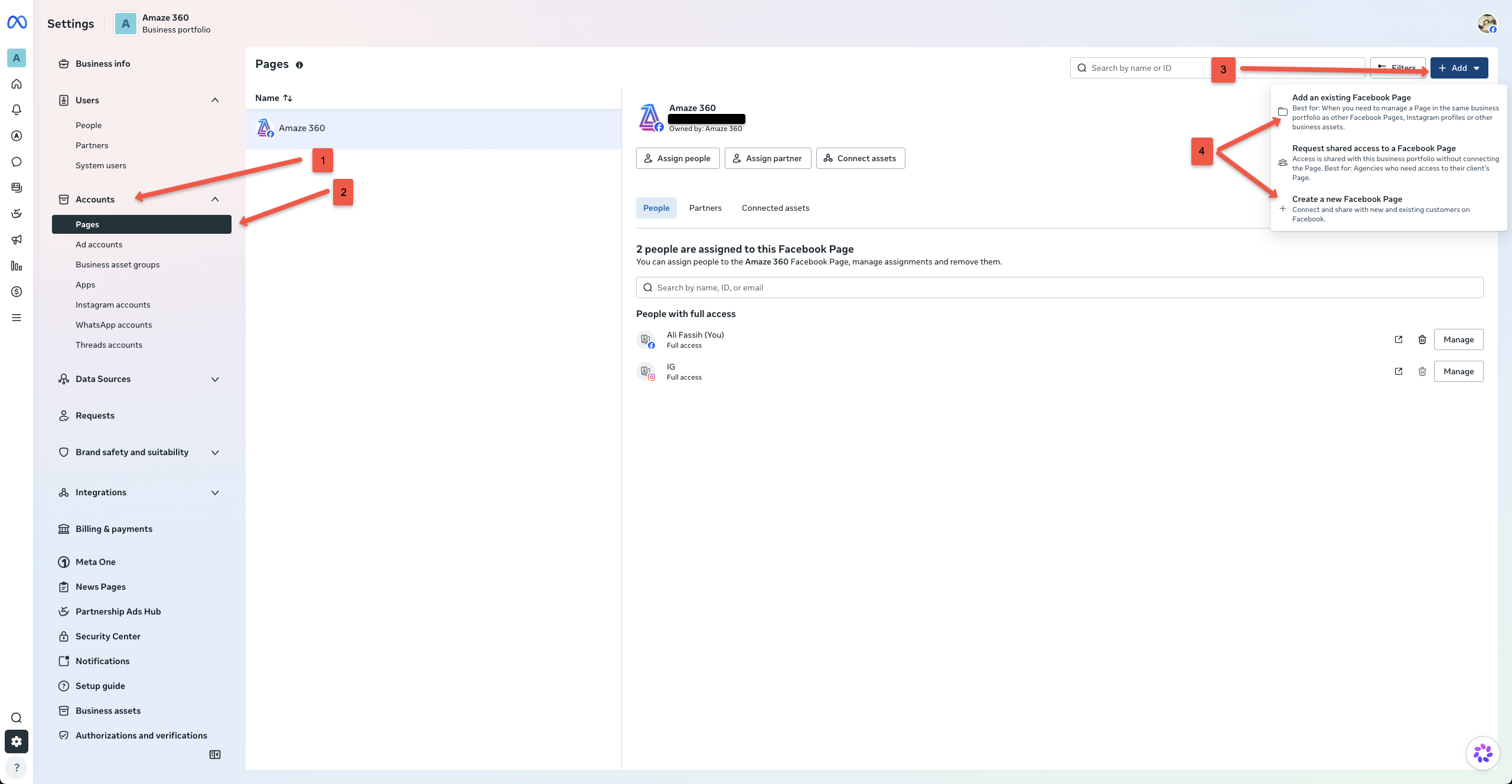
business.facebook.com/settings
Part B · Instagram Account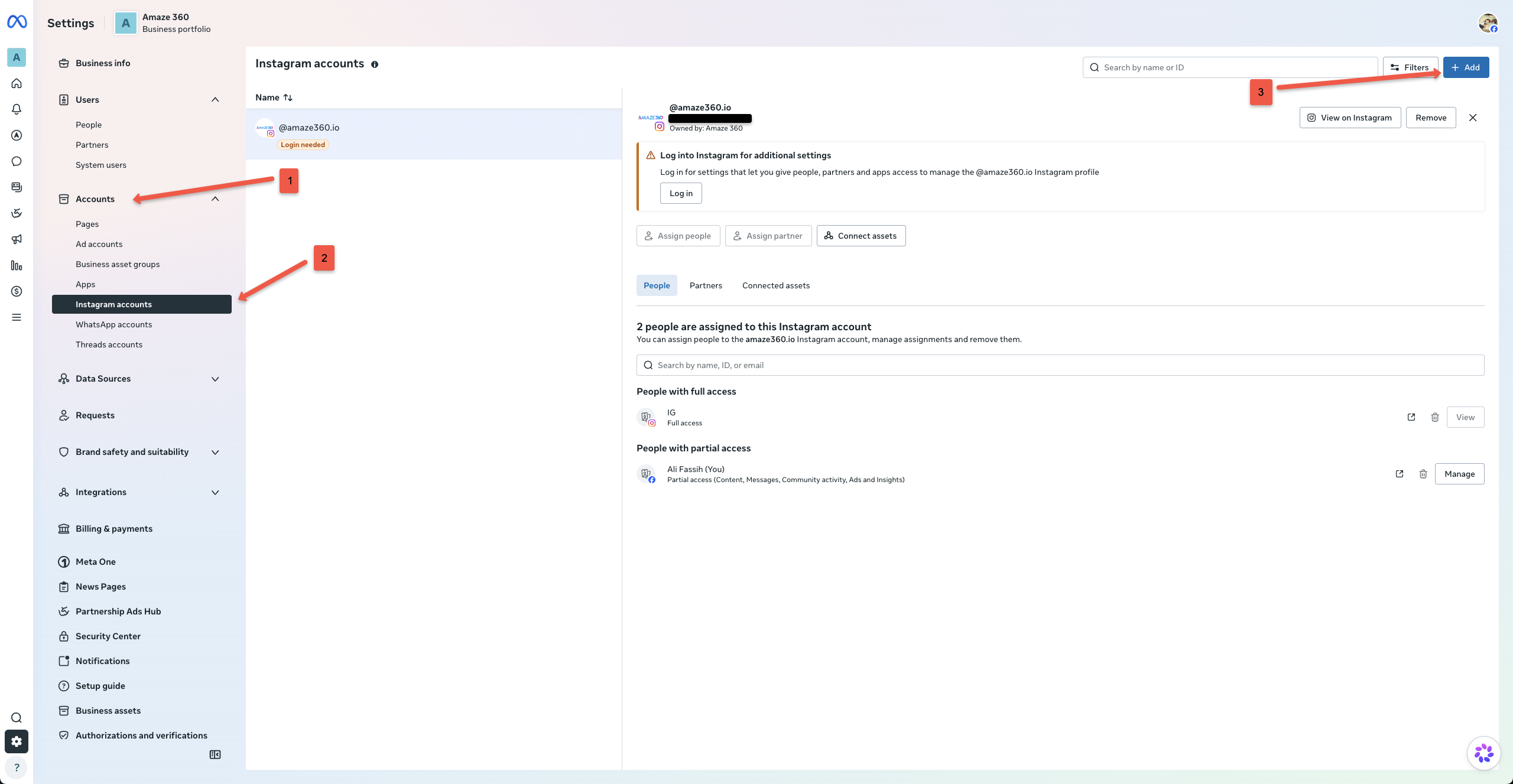
- 1
In Business Settings, click “Accounts” (1) in the left sidebar
From your Meta Business Settings screen, navigate to the left sidebar menu and locate the “Accounts” group. - 2
Part A — Click “Pages” (2) under Accounts
Under Accounts, select “Pages” to view your portfolio's connected Facebook Pages. - 3
Click the blue “+ Add” button (3) in the top-right
Above the page list on the right side of the screen, click the blue “+ Add” button to reveal the options menu. - 4
Select “Add an existing Facebook Page” (4)
Choose “Add an existing Facebook Page” (Best for managing a Page in the same portfolio as other assets). Type your Page name or paste its URL, then confirm. You must already be an admin of the Page to claim it. - 5
Part B — Click “Instagram accounts” (2) under Accounts
Next, return to the left sidebar under Accounts and click “Instagram accounts”. - 6
Click the blue “+ Add” button (3) on Instagram accounts
Click the blue “+ Add” button in the top-right corner to connect your Instagram profile. - 7
Log in with Instagram credentials & complete verification
A secure modal will appear. Log in with your Instagram username and password. If prompted, confirm additional settings or 2-factor verification so Meta can link the account to your portfolio. - 8
Verify both assets are active in your portfolio
Confirm that your Facebook Page appears under Pages and your Instagram handle appears under Instagram accounts. Both are now ready to be connected to your ad campaigns.